/o/commerce-media/accounts/-1/images/123514200?download=true
Shared Resources Manager
Descrição
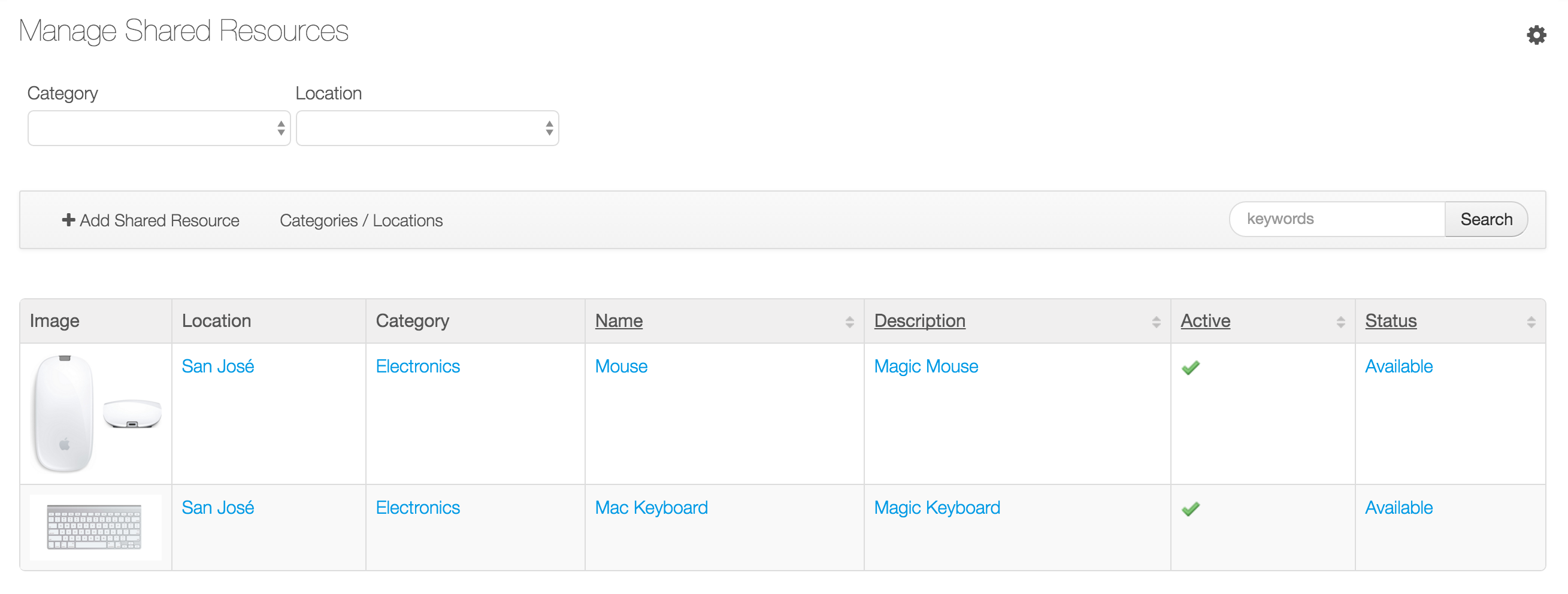
This app allows the management of shared resources in a company. Keeping
track of the current user and the people interested in using them, after
the resources are released.
Features:
+ Admin users can define shared resources in the Admin > Site Administration > Content page.
+ Admin users can set up Locations and Categories for shared resources.
+ The app allows searching resources by Location, Category and keywords.
+ Users can request any shared resources. If the resource is available it will be assigned and booked, but if it is already booked then the request will be put in a queue. Once the resource becomes available the next user in the queue will receive a notification asking to complete the booking.
+ Once the system chooses the next user from the waiting queue. This user will have some time to complete the booking of the resource, if she/he doesn't do that in the allocated time then the system will choose another user from the queue. The admin user configures how long the system will wait.
+ Users can send messages to the current user of the resource, and the current user can reply as well. Both will receive notifications.
+ When the current user returns the shared resource it is assigned to the next user in the queue. That person will receive a notification asking to complete the booking.
Features:
+ Admin users can define shared resources in the Admin > Site Administration > Content page.
+ Admin users can set up Locations and Categories for shared resources.
+ The app allows searching resources by Location, Category and keywords.
+ Users can request any shared resources. If the resource is available it will be assigned and booked, but if it is already booked then the request will be put in a queue. Once the resource becomes available the next user in the queue will receive a notification asking to complete the booking.
+ Once the system chooses the next user from the waiting queue. This user will have some time to complete the booking of the resource, if she/he doesn't do that in the allocated time then the system will choose another user from the queue. The admin user configures how long the system will wait.
+ Users can send messages to the current user of the resource, and the current user can reply as well. Both will receive notifications.
+ When the current user returns the shared resource it is assigned to the next user in the queue. That person will receive a notification asking to complete the booking.
Desenvolvedor
Publisher Date
November 6, 2026
Deployment Method
Liferay PaaS
Liferay Self-Hosted
App Type
DXP
Versão
1.0.0
Versões compatíveis
6.2
Standard Price
Free
Help and Support
Compartilhar link