/o/commerce-media/accounts/-1/images/123502973?download=true
Link Scanner
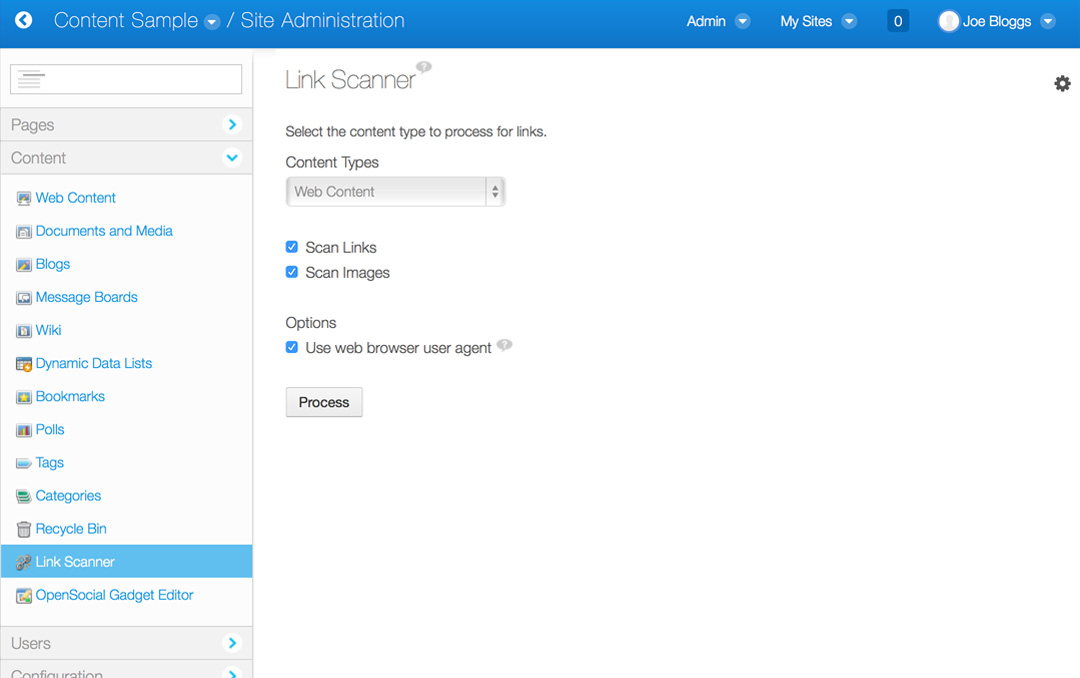
Description
Link Scanner finds and tests the status of links and images within
different content types. This will assist with finding and fixing broken
links in your content. Links Scanner currently supports blogs,
bookmarks, calendar, message boards, RSS portlet, web and wiki (HTML
format only) content types. Link Scanner is made available in the
Control Panel or Manage Content areas at the bottom of the Content section.
1. Select the content type that you would like to scan.
2. Choose whether to scan for links, images or both.
3. Click Process to begin.
Link Scanner will look for links and/or images within the current Liferay site for the chosen content type. Each content item will be linked to the editor for that content, allowing you to quickly fix the content as needed. If none of the chosen content items contain links or images, no results will be displayed. Progress will be displayed as Link Scanner tests each link.
1. Select the content type that you would like to scan.
2. Choose whether to scan for links, images or both.
3. Click Process to begin.
Link Scanner will look for links and/or images within the current Liferay site for the chosen content type. Each content item will be linked to the editor for that content, allowing you to quickly fix the content as needed. If none of the chosen content items contain links or images, no results will be displayed. Progress will be displayed as Link Scanner tests each link.
Developer
Publisher Date
November 6, 2026
Deployment Method
Liferay PaaS
Liferay Self-Hosted
App Type
DXP
Version
2.0
Supported Versions
6.2
Standard Price
Free
Help and Support
Share Link