/o/commerce-media/accounts/-1/images/123540744?download=true
AlloyEditor Manager
Description
This application allows the portal administrator to configure which
buttons to show inside the AlloyEditor toolbar, which is the default
WYSIWYG editor for Liferay Portal.
For example, portal administrator can enable/disable bold or italic functionality, or enable text alignment and paragraph indentation.
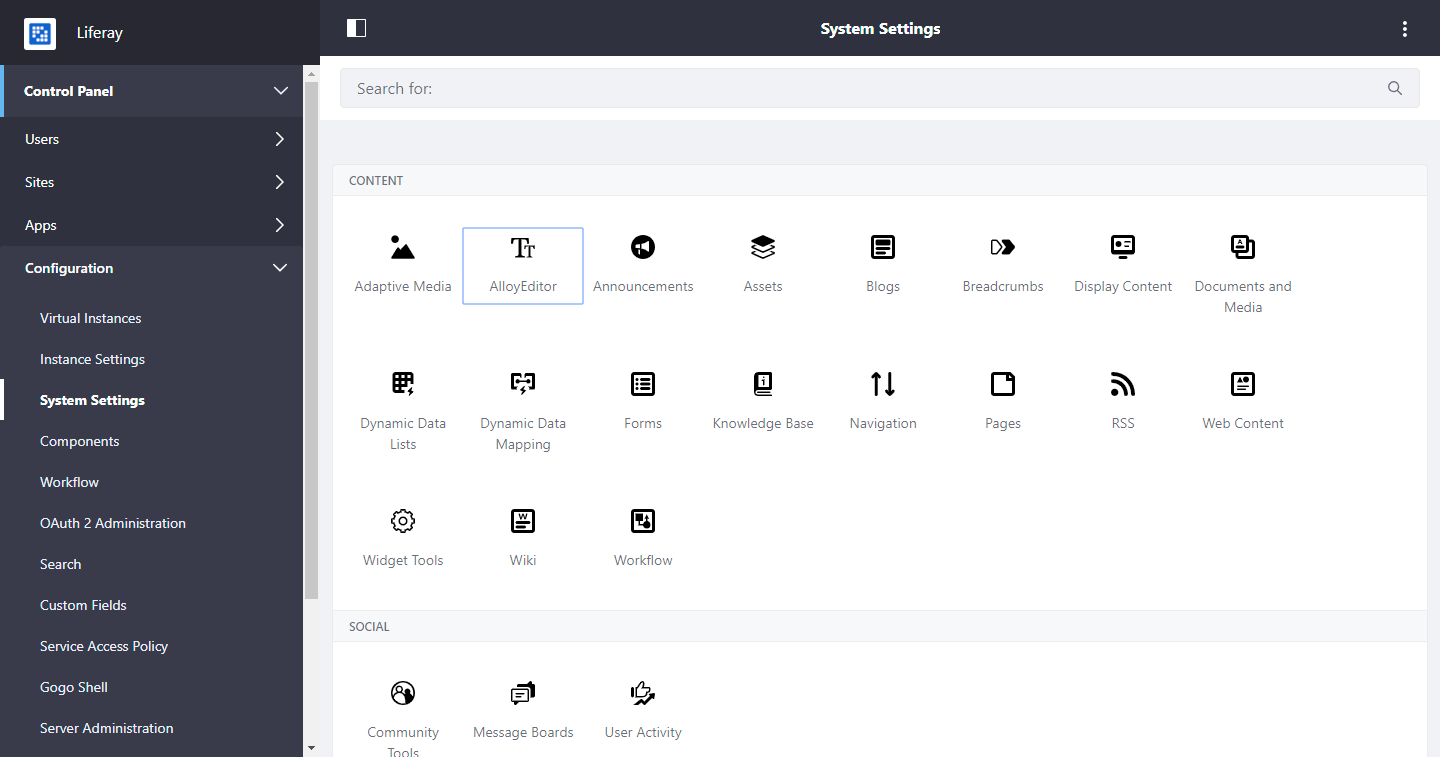
Just go to the System Settings section inside the Control Panel and choose the "AlloyEditor" menu item; then you'll the list of the buttons you can enable/disable inside the AlloyEditor. Just choose the buttons you want to use, save and try to create a new web content: you'll see only the buttons enabled from the control panel.
For example, portal administrator can enable/disable bold or italic functionality, or enable text alignment and paragraph indentation.
Just go to the System Settings section inside the Control Panel and choose the "AlloyEditor" menu item; then you'll the list of the buttons you can enable/disable inside the AlloyEditor. Just choose the buttons you want to use, save and try to create a new web content: you'll see only the buttons enabled from the control panel.
Developer
Publisher Date
November 6, 2026
Deployment Method
Liferay PaaS
Liferay Self-Hosted
App Type
DXP
Version
7.3.2.0
Supported Versions
7.3
Standard Price
Free
Help and Support
Share Link