/o/commerce-media/accounts/-1/images/123543151?download=true
Two Factor Authentication - Liferay 7.0, 7.1
説明
Purpose of this plugin is to add an extra security layer for your
Liferay Portal. In addition to username and password, user requires to
enter a one-time verification code (By using Google Authenticator), when
signing in to Liferay Portal (If this feature is enabled).
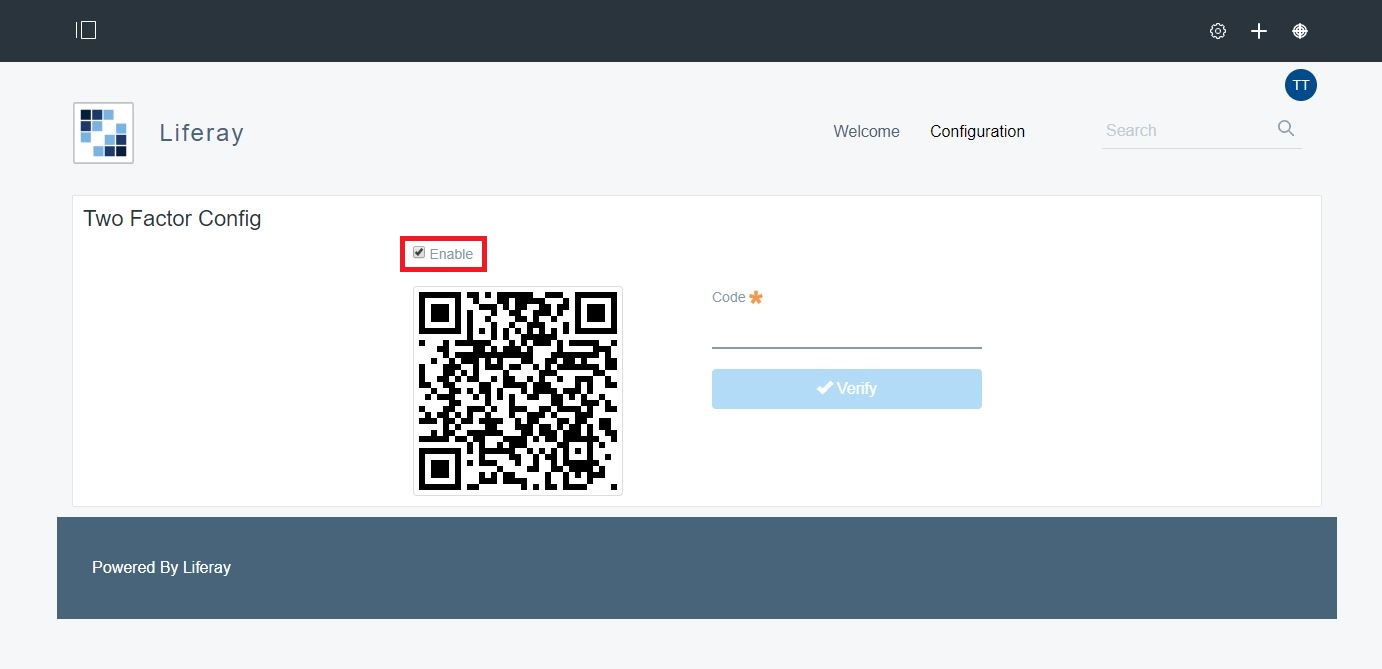
By using "Two Factor Config" portlet user can Enable/disable this feature. In case user lost Bar/QR code they can recover it by using Recovery option available one "Verify OTP" page. As a part of security, this plugin stores encrypted QR code in database.
To setup this plugin on your Liferay instance, please refer documentation.
By using "Two Factor Config" portlet user can Enable/disable this feature. In case user lost Bar/QR code they can recover it by using Recovery option available one "Verify OTP" page. As a part of security, this plugin stores encrypted QR code in database.
To setup this plugin on your Liferay instance, please refer documentation.
開発者
Publisher Date
November 6, 2026
Deployment Method
Liferay PaaS
Liferay Self-Hosted
App Type
DXP
バージョン
1.0
サポート対象のバージョン
7.0,
7.1
Standard Price
Free
Help and Support
リンクを共有