/o/commerce-media/accounts/-1/images/123529395?download=true
Venus Theme
Descripción
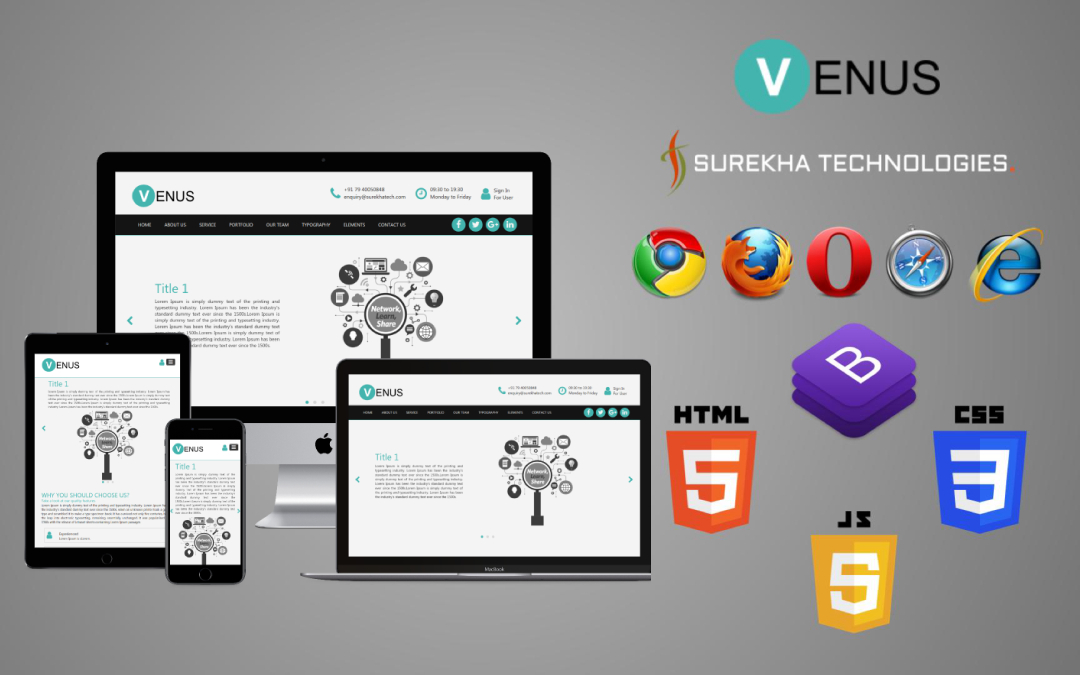
Surekha Technologies presents you a stylish, elegant and responsive
Liferay "Venus Theme" for a wide range of websites. The
packaged web content structures and templates include: Home, About Us,
Service, Contact Us, Portfolio, Our Team, Typography, Form Elements, Tables.
Features:
* Responsive design
* Cross browser compatibility
* Full width responsive image carousel
* Ready to use site template and much more
* In LR 7.1 added fragments to give inline editing functionality for various pages i.e. About Us, Typography, Tables, etc
Lot of templates and structures (no coding required):
* Full width image carousel
* Typography
* Various Table designs
* Our Services
* Portfolio
* Why you should choose us?
* Our Mission
* Our Vision
* Our Team
* Form elements
* Contact Us
Note : You need to remove restricted variable. Follow below steps to remove them.
1. Go to Control Panel → Configuration → System Setting
2. Open FreeMarker Engine settings. In Liferay 7 you can find Freemarker engine under Foundation tab while in Liferay 7.1 it comes under Template Engines settings.
3. Remove StaticUtil variable from the Restricted Variables and then click on save.
4. After updating you need to restart the Liferay server.
---------------------------------------------------------------------------------------------------------
Demo for LR 7.0 http://demolr7.surekhatech.com/web/venus .
Do you have any queries? Please contact us at lrapps@surekhatech.com.
----------------------------------------------------------------------------------------------------------
Features:
* Responsive design
* Cross browser compatibility
* Full width responsive image carousel
* Ready to use site template and much more
* In LR 7.1 added fragments to give inline editing functionality for various pages i.e. About Us, Typography, Tables, etc
Lot of templates and structures (no coding required):
* Full width image carousel
* Typography
* Various Table designs
* Our Services
* Portfolio
* Why you should choose us?
* Our Mission
* Our Vision
* Our Team
* Form elements
* Contact Us
Note : You need to remove restricted variable. Follow below steps to remove them.
1. Go to Control Panel → Configuration → System Setting
2. Open FreeMarker Engine settings. In Liferay 7 you can find Freemarker engine under Foundation tab while in Liferay 7.1 it comes under Template Engines settings.
3. Remove StaticUtil variable from the Restricted Variables and then click on save.
4. After updating you need to restart the Liferay server.
---------------------------------------------------------------------------------------------------------
Demo for LR 7.0 http://demolr7.surekhatech.com/web/venus .
Do you have any queries? Please contact us at lrapps@surekhatech.com.
----------------------------------------------------------------------------------------------------------
Desarrollador
Publisher Date
November 6, 2026
Deployment Method
Liferay PaaS
Liferay Self-Hosted
App Type
DXP
Versión
2.0.0.0
Versiones compatibles
7.1
Standard Price
$ 19,99
Help and Support
Compartir enlace